
Real-ESRGAN.
Right on your Mac.
Two local models: Photo for textures and faces, Illustration for graphics and linework. Both are free at 2×. No image upload needed.
CrispenDownload CrispenFREE FOR MAC · MACOS 13+
Small images. Big possibilities.
2× AI. SVGs. Batch conversion. Free.
macOS 13+ · Apple silicon & Intel · No account needed
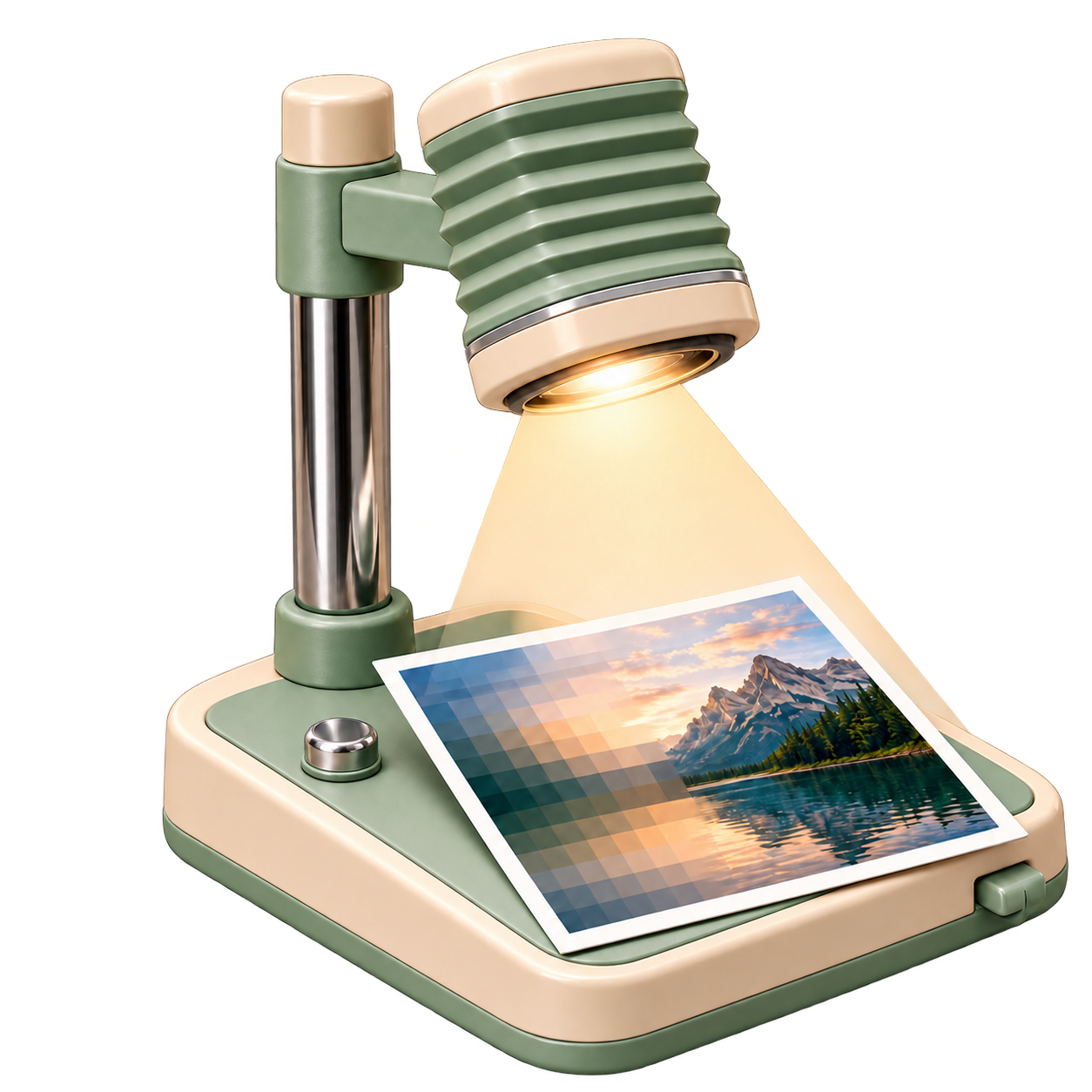 2× freeUp to 16× with ProPixels to pathsEditable SVG · FreeMade for your MacLocal AI · Batch ready
BEFORE / AFTER
Drag the light. Everything it touches gets a closer look.


Actual local Photo-model output from an AI-generated landscape. The 300 × 200 source is enlarged to 600 × 400 using the free 2× Photo model. Results vary with your image.
PICK YOUR ZOOM
Start with free 2× enhancement.
Optional Pro unlocks 4×, 8× and 16×.
FREE · REAL VECTOR EXPORT
Turn a logo, icon or flat illustration into an editable SVG. Real color paths that scale cleanly—no bitmap hidden inside.
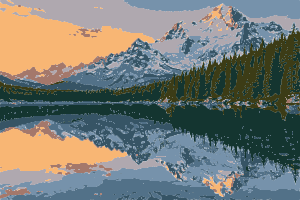
Want a more graphic look? Photos become simplified, eight-color vector artwork.
Download & trace freeUp to 8 colors · Tracing samples up to 768px · Inspect small text and intricate detail
WHAT IT DOES
Two local models: Photo for textures and faces, Illustration for graphics and linework. Both are free at 2×. No image upload needed.
Convert to and from PNG, JPEG, HEIC and TIFF, with export quality and lossless WebP.
Match the model to the image. Faces and textures, or graphics and linework.
Enhance or convert whole folders in one queue. No uploads. No file-by-file repetition. Your originals stay untouched.
Keep alpha in supported raster formats. SVG tracing simplifies shapes and transparency; JPEG gets a white background.
Crispen remembers your settings. Quick presets get you to your next export faster.
THREE SIMPLE MOVES
Any image. Any folder.
Enhance 2×, convert formats, or trace SVGs.
Save a fresh copy. Keep making things.
Thumbnails that survive a close-up.
Product shots with room to shine.
A fresh look at old favorites.
Icons and web assets, ready to export.

CRISPEN STUDIO
Use your own xAI key for cloud generation and editing without a Crispen subscription. Your key stays in Keychain; xAI bills your account directly.
Prefer everything handled? Optional Pro includes 100 weighted cloud credits every paid month. Standard 1K images use one credit. Premium or 2K images use two. No automatic overage charges.
Personal keys unlock external AI tools, not 4×–16× local enlargement. OpenAI and Gemini connections are coming soon.

PRIVACY
Free enhancement, batch conversion and SVG tracing run locally. Studio sends your prompt and optional reference only when you choose a cloud tool.
Free tools need no account or internet. Pro activation and periodic verification require a connection; verified Pro enlargement works offline for up to 72 hours.
FREE BY DEFAULT · PRO BY CHOICE
CRISPEN FREE
Free, always$0No subscription
Local tools work offline. No sign-up. Personal-key requests are billed by xAI.
CRISPEN PRO
Optional upgrade$19.99per month · USD
Pro is optional. Checkout is loading…
Renews monthly until canceled. Credits reset each paid period and don’t roll over. No automatic overages.
Manage your Pro subscriptionSame app, optional extras. Free features remain free. Pro enlargement needs activation and periodic verification.
2× AI enhancement with both local models, image format conversion, color SVG tracing, and batch processing. No account or subscription is required. Download the Mac app and start working.
4×, 8× and 16× local enlargement plus 100 weighted cloud credits each paid monthly period. Pro is optional and uses the same app. You can keep using free features without it.
Yes. Save a personal xAI key in Studio to use Grok generation and editing. Requests go directly to xAI and xAI bills your account. A personal key doesn’t unlock 4×–16× local enlargement. Other provider connections are coming soon.
Yes—editable color paths with no embedded bitmap. Tracing uses up to eight colors and samples images up to 768px, so it works best for logos, icons and flat artwork. Photos become simplified illustrations. Tiny text, gradients and complex detail may need editing afterward.
AI estimates missing detail. Crispen’s local Photo and Illustration models can improve a small source, but they cannot recover the exact original information. Compare your result, especially text and faces.
Image enhancement and conversion run on your Mac. Free tools need no internet. Optional Pro enlargement needs activation and periodic verification, with up to 72 hours of verified offline access. Cloud generation and editing always need a connection.
macOS 13 or later on Apple silicon or Intel. Local processing uses Core ML; speed depends on the image size, chosen scale, and your Mac.
You get 100 weighted credits each paid monthly billing period. Standard Grok 1K generation or editing uses one credit. Premium or 2K uses two. Unused credits expire at the period end. No overage is charged automatically. Provider-rejected requests return reserved credits; uncertain submissions may need support review.
Local images stay on your Mac. Studio uploads only your prompt and optional reference. Cloud results are kept by Crispen for up to one hour for recovery, so save them locally. Providers have their own retention policies. JPEG does not support transparency; animated input uses its first frame.
Up to 300 megapixels, including intermediate local AI passes. WebP supports at most 16,383 pixels per side. Small sources work best at 8× and 16×.
Reopen your original checkout confirmation in the same browser, or contact Musa Studios support with your purchase reference. Keep your Pro key private.
Free for Mac. Pro when you want more.
Download Crispen free Explore optional PromacOS 13+ · Apple silicon & Intel · No account needed
Verify download checksum